iPhone early access available

Request access to start testing SwingGrabber on your iPhone.

Replay, save, and review on your iPhone

Automatic swing replay.

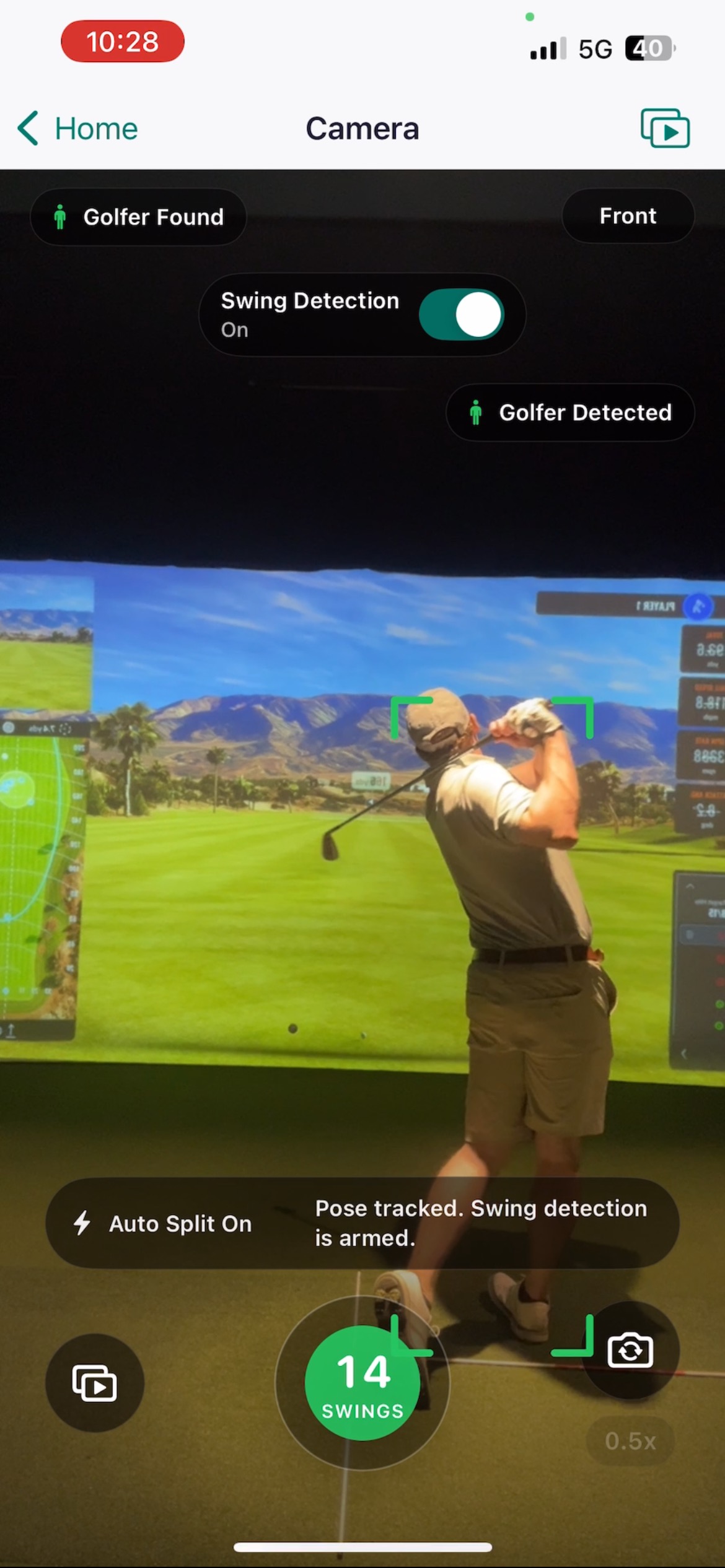
SwingGrabber automatically detects and replays each golf swing, so you can review your shot without walking back to your phone.

  • Review your swingsSlow motion and frame-by-frame playback.
  • Break down your swingDrawing tools and movement traces.
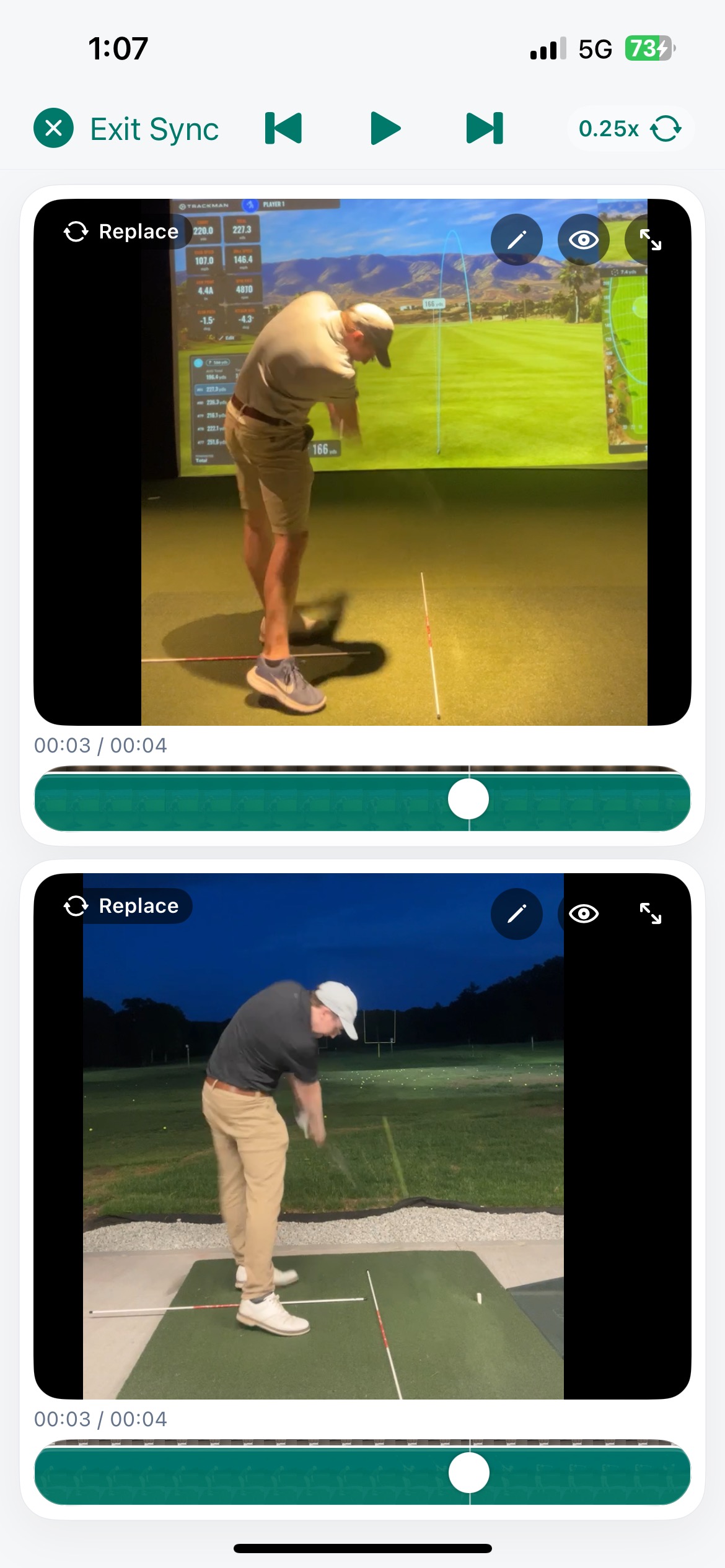
  • Compare swingsSync two swings side by side.
  • Organize your swingsKeep your library organized with optional cloud backup.

We'll only email you about your request and SwingGrabber early access.

Get a focused swing breakdown and practice ideas from Swing Assistant.

Explore Swing Assistant
Swing detection screen in the SwingGrabber iOS app

At the range

Built for ongoing practice.

Set up once and keep hitting. SwingGrabber handles the replay and organizes each detected swing as its own clip.

01

Set up once

Open the camera, frame the hitting area, and start your session.
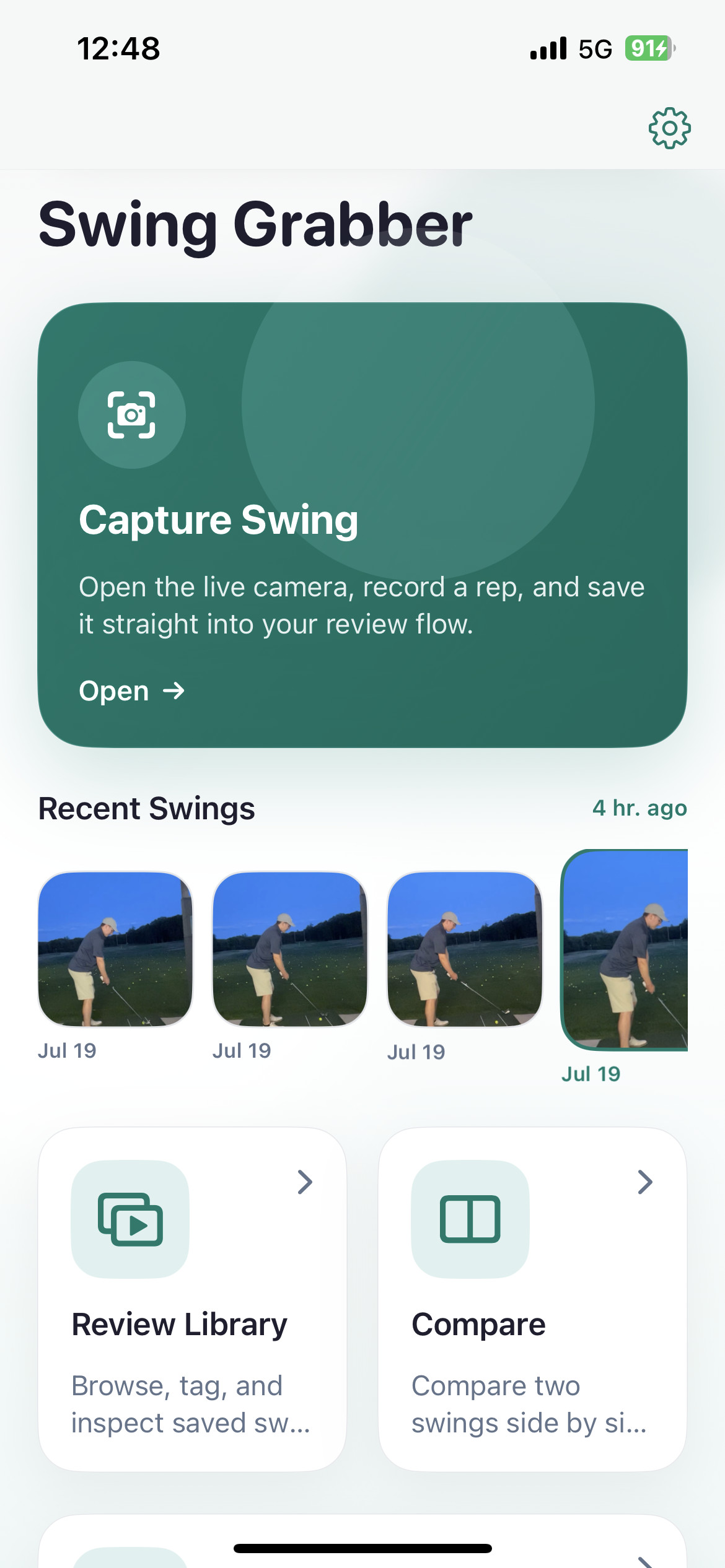
SwingGrabber iPhone home screen with capture and review options
02

Keep hitting

SwingGrabber finds each swing and plays it back without sending you back to the phone.
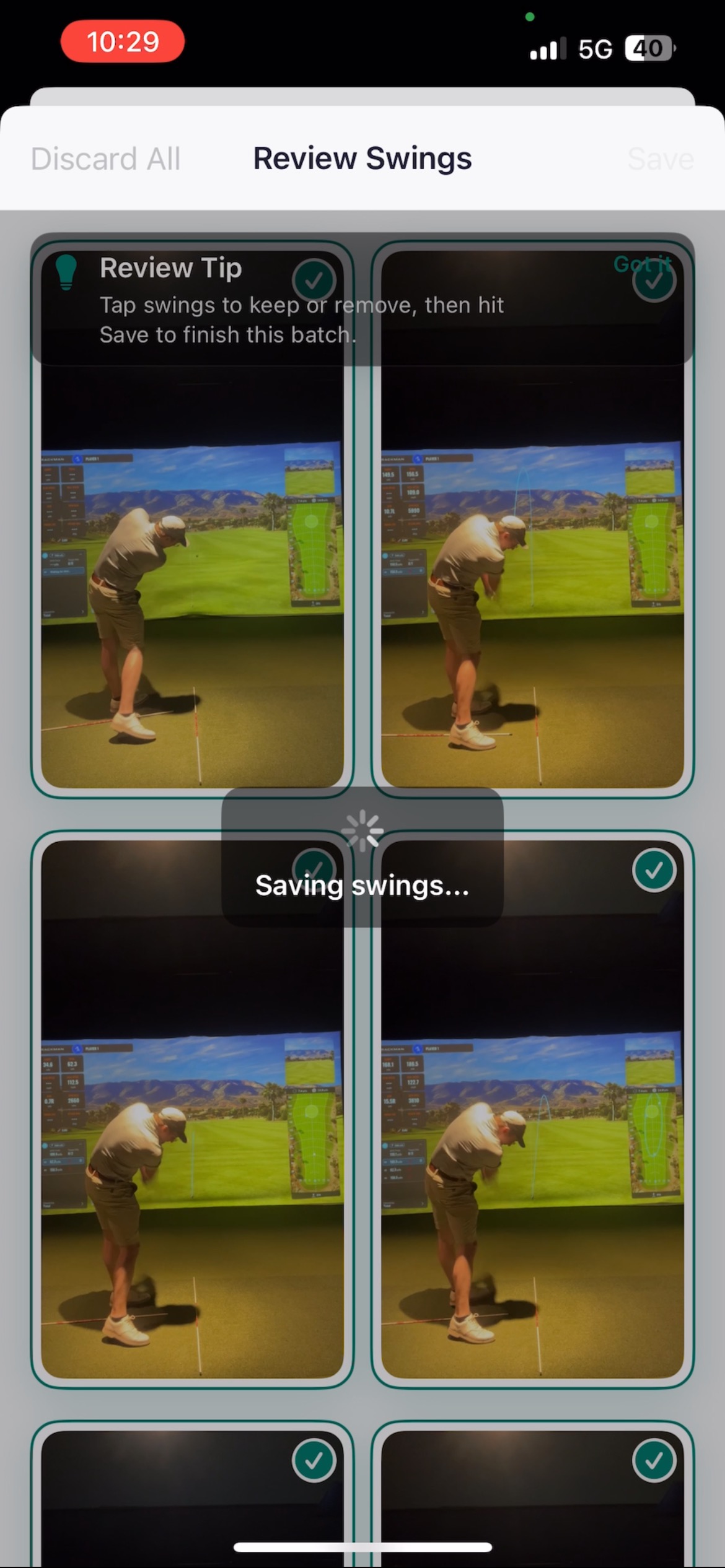
Detected golf swing clips ready to review in SwingGrabber
03

Clip each swing automatically.

Each detected swing becomes a short clip without the setup and time between shots, ready to save and review.
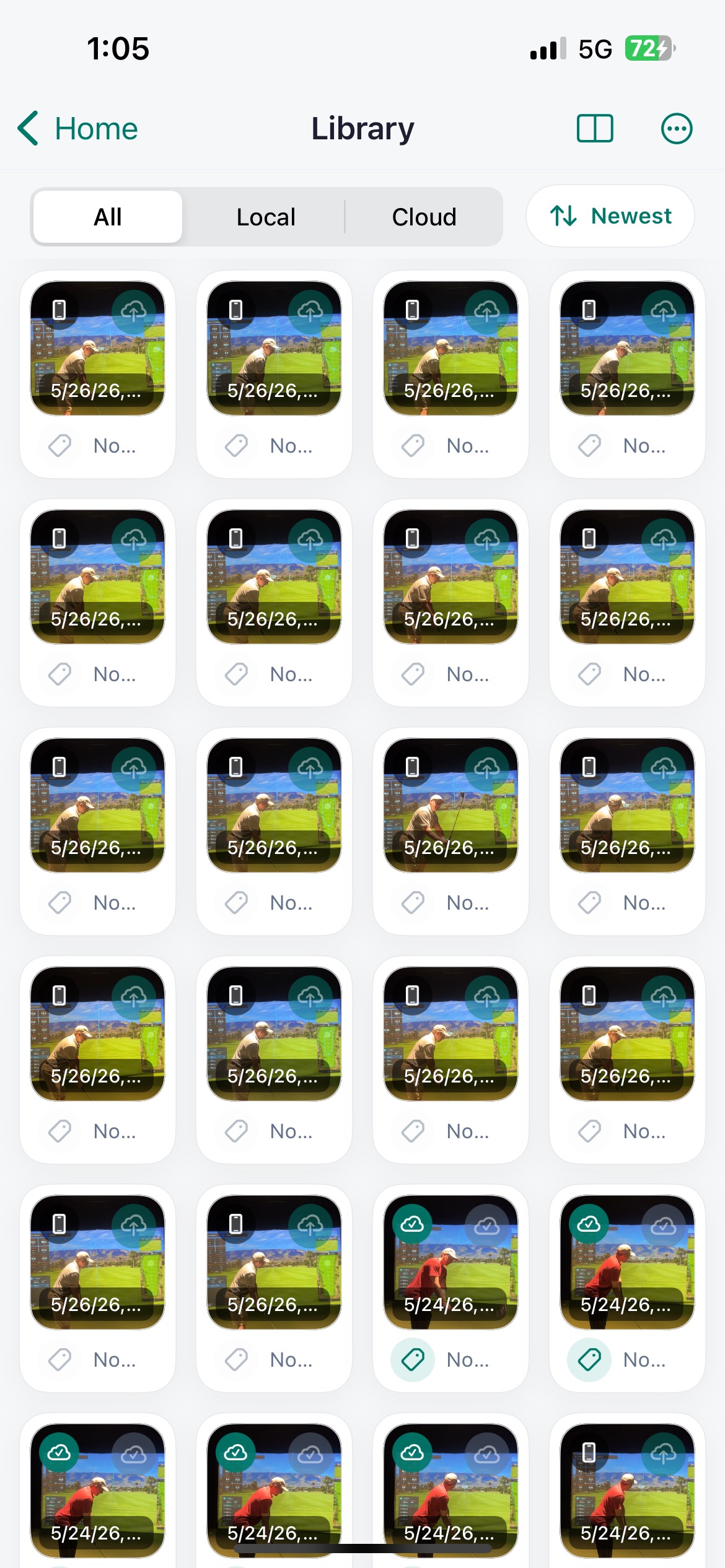
Saved golf swings in the SwingGrabber library

Closer review

Keep your swing work in one place.

Organize saved swings by date, club, camera angle, and tag. Review on your iPhone whenever you want a closer look at the positions and patterns that matter.
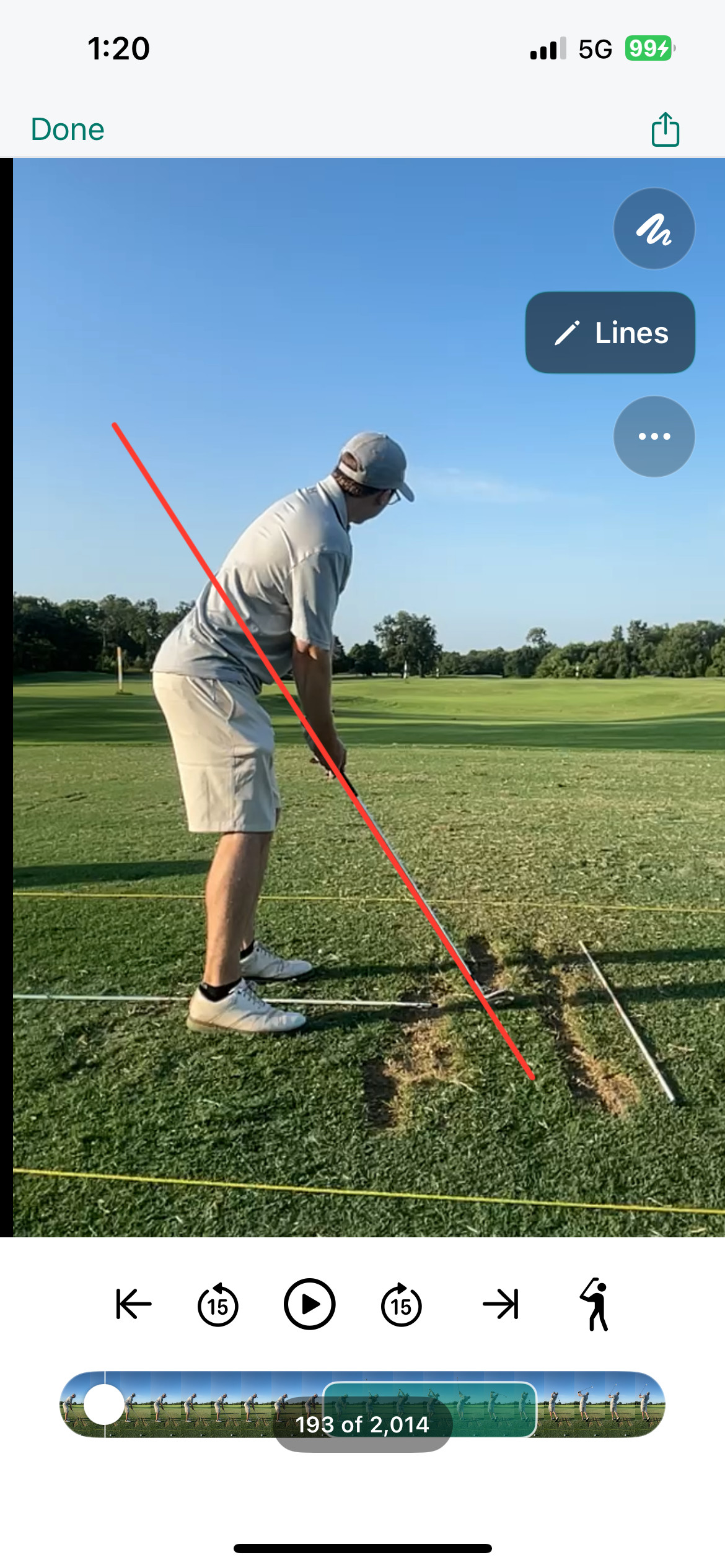
A golfer drawing a reference line over a swing video in the SwingGrabber iPhone app
Draw reference lines directly on a saved swing.
Two golf swings synchronized for side-by-side comparison in the SwingGrabber iPhone app
Line up two swings and move through them together.

Review closely

Slow down playback, move frame by frame, zoom in, and save markup on the positions you want to study.

Compare swings

Synchronize two videos and compare the same part of the motion across different sessions.

Follow changes over time

Use tags, filters, and swing metrics to revisit a practice focus and see how it changes.

Swing Assistant

Stuck while practicing? Ask the Swing Assistant for ideas.

Choose a saved swing in the iPhone app to get a focused breakdown and a few ideas to try during the session. Use it to find a place to start, then see what changes in your next swings.

It is designed to support your own practice, not replace a golf coach.
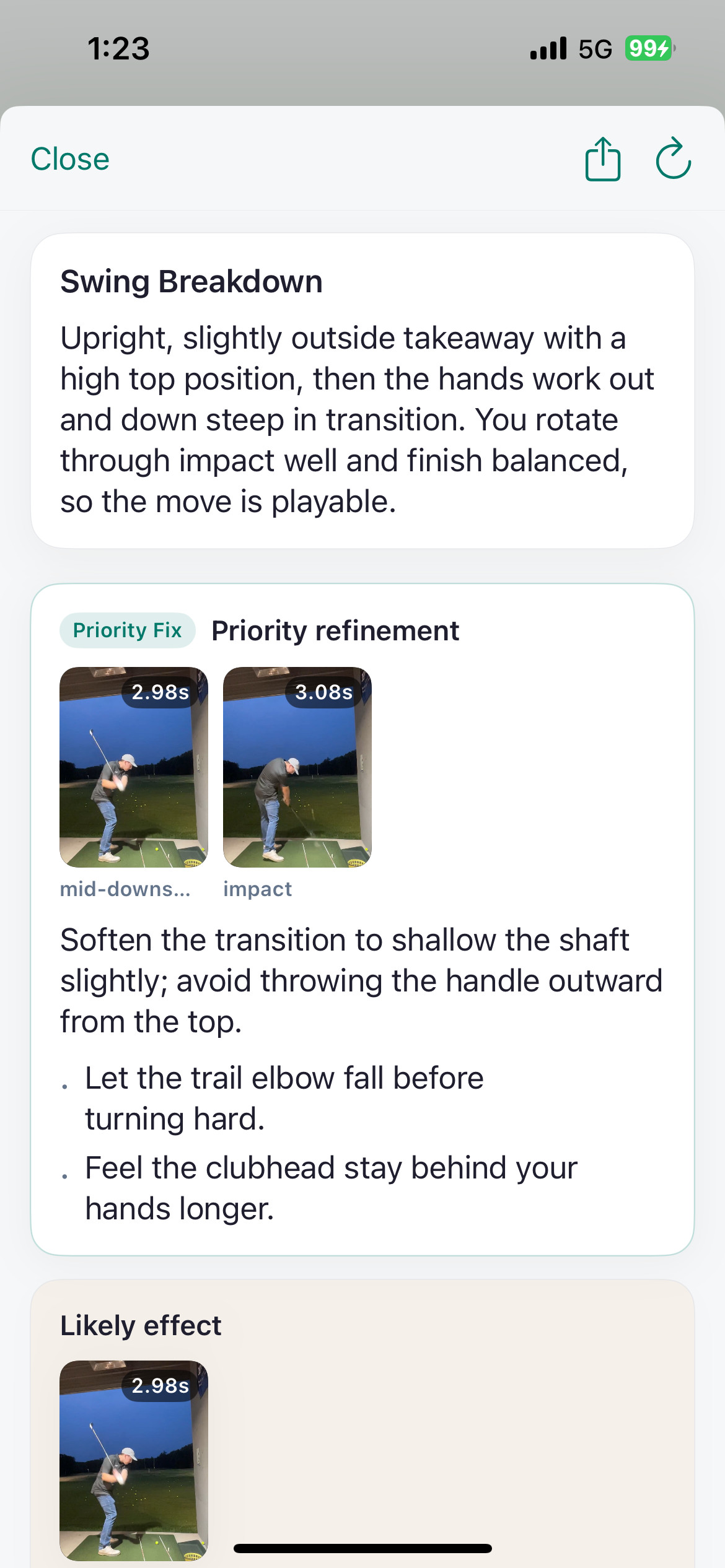
An example Swing Assistant report with a swing breakdown and a priority practice idea on iPhone
A focused breakdown and practice ideas, right on your iPhone.

Early access

Try SwingGrabber at the range.

Request access to the iPhone app.

We'll only email you about your request and SwingGrabber early access.